Using Google Trends and Keyword Tools to Find Winning Products
August 29, 2026

Stop Guessing. Start Researching.
Every e-commerce entrepreneur, dropshipper, and affiliate marketer faces the same brutal challenge: picking products that actually sell. You can spend weeks building out a store, crafting content, and running ads — only to discover that nobody wants what you’re selling.
The difference between those who succeed and those who burn through their budget? Data.
A “winning product” isn’t just something you personally love or something that looks cool on Instagram. True winning products share three critical traits: high or growing demand, reasonable competition, and strong profit margins (typically 30% or more). Finding products that check all three boxes consistently is what separates hobby sellers from serious earners.
The good news? You don’t need expensive market research firms or insider connections. Two powerful categories of tools — Google Trends and keyword research platforms — give you direct access to real consumer behavior data. When combined into a repeatable research system, they can reliably surface profitable product opportunities before the market gets crowded.
In this guide, you’ll learn exactly how to use these tools together to identify trending products, validate demand, analyze competition, and build a product research workflow you can run every single week.
Let’s dig in.
What Makes a “Winning Product”?
Before you open a single tool, you need to know what you’re looking for. Not every trending product is a winning product, and not every winning product is trending. Here’s the framework that matters:
✅ High and/or Growing Demand
People are actively searching for it, buying it, or talking about it — and that interest is stable or increasing over time.
✅ Solves a Real Problem or Taps Into a Passion
The best products fix frustrations, improve health, save time, or serve a dedicated hobbyist community. Products that fit naturally into someone’s life sell themselves.
✅ Reasonable Competition
A product with zero competition usually means zero demand. But a product dominated by massive brands with enormous ad budgets can be nearly impossible to break into. You’re looking for the sweet spot: proven demand with gaps you can fill.
✅ Good Profit Margins
A product that sells for $30 but costs $28 to source, pack, and ship is a losing product regardless of demand. Target margins of 30% or higher for sustainable profitability.
✅ Evergreen vs. Trending — Know the Difference
Evergreen products (think: phone cases, fitness resistance bands, food storage containers) sell year-round with predictable demand. Trending products can offer explosive short-term opportunity but carry risk if the trend fades. The smartest strategy involves a mix of both.
A quick example: A foam fidget spinner in 2017 = trending product that became a losing product within months. A stainless steel water bottle = evergreen product with consistent, growing demand year over year.
Without research tools, you’re essentially guessing which category your product falls into. With the right tools, you can know.
Understanding Google Trends
Google Trends is one of the most underutilized free tools available to product researchers. Here’s what you need to know to use it effectively.
What Google Trends Actually Measures
Google Trends does not show you exact search volumes. Instead, it shows relative search interest on a scale of 0 to 100, where 100 represents peak popularity for a given term within a selected time period and geography. This distinction matters because it means you’re looking at momentum and direction, not raw numbers.
Think of it less like a sales counter and more like a market pulse monitor. A score trending from 20 to 65 over 12 months tells you far more than a static number ever could.
Key Features to Use
Interest Over Time: Your primary graph. Shows you whether search interest is growing, declining, stable, or seasonal.
Geographic Data (Interest by Subregion): Reveals where demand is strongest. This is invaluable for geo-targeted advertising and identifying regional product opportunities that national competitors might overlook.
Related Topics & Related Queries: Arguably the most underrated feature in Google Trends. This section surfaces what people are searching alongside your term — a goldmine for product variations, content ideas, and niche pivots.
Seasonal Trends: By adjusting your time range to 2–5 years, you can identify cyclical patterns. This tells you whether a spike is a repeating seasonal trend (predictable, manageable) or a one-time viral moment (risky).
How to Interpret Trends Correctly
- Rising indicates queries that have increased significantly relative to the previous period
- Breakout is the label Google applies to queries that have grown by more than 5,000% — these represent early-stage opportunities
- Fad vs. sustainable growth: A sharp spike followed by a cliff is a fad (think fidget spinners). A steady upward slope over 2+ years is a sustainable opportunity
- Misleading spikes: A single news event can artificially inflate a trend. Always zoom out to 12–24 months to confirm the broader pattern
Step-by-Step: Using Google Trends to Find Product Ideas

Step 1: Start With a Broad Niche
Don’t begin with a specific product — begin with a category. Broad niches like home office, pet care, outdoor fitness, sustainable living, or personal wellness give you a wide surface area to explore.
Enter your niche term into Google Trends, set your time range to “Past 5 years,” and observe the overall direction. Is the category growing? That’s your foundation.
Step 2: Identify Trending Searches Within That Niche
Scroll down to the Related Queries section and filter by “Rising.” You’ll see specific product-level terms that are gaining momentum within your niche. A breakout tag next to a query is a signal worth investigating immediately.
Example: Starting with “home office,” you might surface rising queries like “monitor arm desk mount,” “ergonomic footrest,” or “desk cable management” — all specific products with real buying intent.
Step 3: Compare Multiple Product Ideas
Use the “+ Compare” feature in Google Trends to overlay up to five search terms at once. This lets you visualize which product idea has stronger momentum. If “ergonomic footrest” is outpacing “monitor arm” in your target region, that comparison directly informs your prioritization.
Step 4: Check Seasonality
Switch your time range to “Past 5 years” and look for repeating peaks. A product that spikes every November/December is a seasonal product — profitable, but requiring different inventory and cash flow planning than an evergreen product. Avoid products that only spiked once with no recurrence.
Step 5: Explore Related Queries for Product Variations
The Related Queries section doesn’t just validate your product idea — it expands it. If you’re researching “reusable water bottles,” related queries might surface “insulated water bottle with straw” or “wide mouth water bottle for hiking” — specific variations that represent their own product opportunities and long-tail keyword targets.
Introduction to Keyword Research Tools
Google Trends tells you which direction the wind is blowing. Keyword research tools tell you exactly how hard it’s blowing — and whether you can compete in it.
While Google Trends shows relative interest, keyword tools provide the hard data you need to make business decisions:
- Search Volume: Estimated monthly searches for a specific keyword
- Keyword Difficulty (KD): How competitive it is to rank for that term organically
- Cost-Per-Click (CPC): What advertisers pay per click — a strong signal of commercial intent
- Competition Insights: Who’s ranking, what content is winning, and where the gaps are
Popular Keyword Research Tools
Here are the platforms most commonly used by serious product researchers:
🔷 Ahrefs — Industry-leading tool with exceptional keyword data, backlink analysis, and content gap features. Best for intermediate to advanced researchers.
👉 [START TODAY: Ahrefs]
🔷 SEMrush — A comprehensive marketing suite with strong keyword research, competitor analysis, and content tools. Excellent for those who also manage paid advertising.
👉 [GET STARTED HERE: SEMrush]
🔷 Ubersuggest — A more affordable option developed by Neil Patel. Great for beginners who want meaningful data without enterprise pricing.
👉 [FIND IT HERE: Ubersuggest]
🔷 Keywords Everywhere — A browser extension that overlays search volume and CPC data directly on Google SERPs, Amazon, and other platforms. One of the best low-cost tools available.
👉 [ADD TO YOUR BROWSER NOW: Keywords Everywhere]
How to Use Keyword Tools to Validate Product Ideas

Once Google Trends has surfaced a promising product idea, keyword tools are where you go to confirm or kill it.
A. Check Search Volume
A keyword with fewer than 100 monthly searches is generally too small to build a business around unless it’s hyper-specific with exceptionally high margins. For most niches, you’re looking for primary keywords in the 1,000–50,000 monthly search range, with a cluster of supporting long-tail terms around them.
Example: “ergonomic footrest for desk” might show 8,000 monthly searches — small enough that competition is manageable, large enough to drive meaningful traffic.
B. Analyze Keyword Difficulty
Keyword difficulty scores typically run from 0–100. For newer sites or niche blogs, target keywords with a KD below 30. These are your “low-hanging fruit” — terms where you can realistically compete without a massive domain authority.
Pro tip: Low-difficulty keywords with decent volume and high CPC are the holy grail of product research. When you find one, move fast.
C. Identify Buyer Intent Keywords
Not all keywords signal the same intent. For product research, you want commercial and transactional keywords — terms that indicate someone is ready to buy or seriously evaluating options:
- “best ergonomic footrest under $50”
- “ergonomic footrest review”
- “where to buy under-desk footrest”
- “ergonomic footrest vs regular footrest”
These keywords convert significantly better than purely informational ones because the searcher is already in buying mode.
D. Look at CPC Data
If advertisers are paying $3–$8 per click for a keyword, they’re doing it because those clicks convert into sales. High CPC is one of the strongest independent signals of commercial intent and market demand. It’s the market voting with money.
Combining Google Trends + Keyword Tools: The Core Strategy
This is where your research system becomes truly powerful. Here’s the full framework:
Step 1 → Find a trend in Google Trends
Enter your niche, explore Rising queries, and identify 3–5 specific product-level terms showing consistent upward momentum.
Step 2 → Validate with a keyword tool
Take those terms into Ahrefs, SEMrush, or Ubersuggest. Confirm search volume, assess keyword difficulty, and identify the full cluster of related buyer-intent keywords.
(👉 HIGHLY RECOMMENDED TOOL: KEYWORDS ANYHWERE)
Step 3 → Check competition
Search your primary keyword on Google. Analyze the top 10 results. Are they dominated by major retailers with thousands of backlinks, or are there smaller niche sites ranking well? If smaller sites are winning, you have a real opportunity.
Step 4 → Evaluate monetization potential
Check CPC. Search Amazon and affiliate networks for available products. Estimate your potential margin. If the numbers work, you have a validated product opportunity.
Real-World Walkthrough
Niche: Sustainable living
Google Trends rising query: “beeswax food wrap”
Keyword tool check: 12,000 monthly searches, KD of 22, CPC of $1.80
Competition check: Several mid-size eco blogs ranking on page one
Monetization: Available on Amazon Associates, multiple eco-brand affiliate programs, 40%+ margins for private label
Result: Validated winning product with clear content and monetization path. ✅
Finding Low-Competition, High-Profit Products
The biggest mistake new researchers make is going after obvious, high-volume keywords. The smarter play is long-tail product research — finding specific variations and sub-niches where competition is thin and intent is strong.
Long-tail strategy in practice: Instead of “yoga mat,” research “extra thick yoga mat for bad knees” or “travel yoga mat under $30.” Longer, more specific phrases have lower competition and higher conversion rates because they match exactly what a motivated buyer is searching for.
Use forums and communities for raw insight: Reddit threads, Facebook groups, and niche forums reveal real consumer frustrations that product searches alone won’t surface. Search Reddit for “[your niche] + recommendations” or “[your niche] + what do you use for” to find genuine pain points.
Amazon validation: Check Amazon’s Best Sellers, Movers & Shakers, and customer reviews in your category. One-star reviews on competing products are a roadmap to what’s missing in the market — and what your winning product could deliver.
Alternative data sources: Don’t overlook the TikTok Creative Center for trending content, Pinterest Predicts for seasonal forecasting, and the Amazon Best Sellers list for real-time market demand analysis.
Monetizing Your Product Research
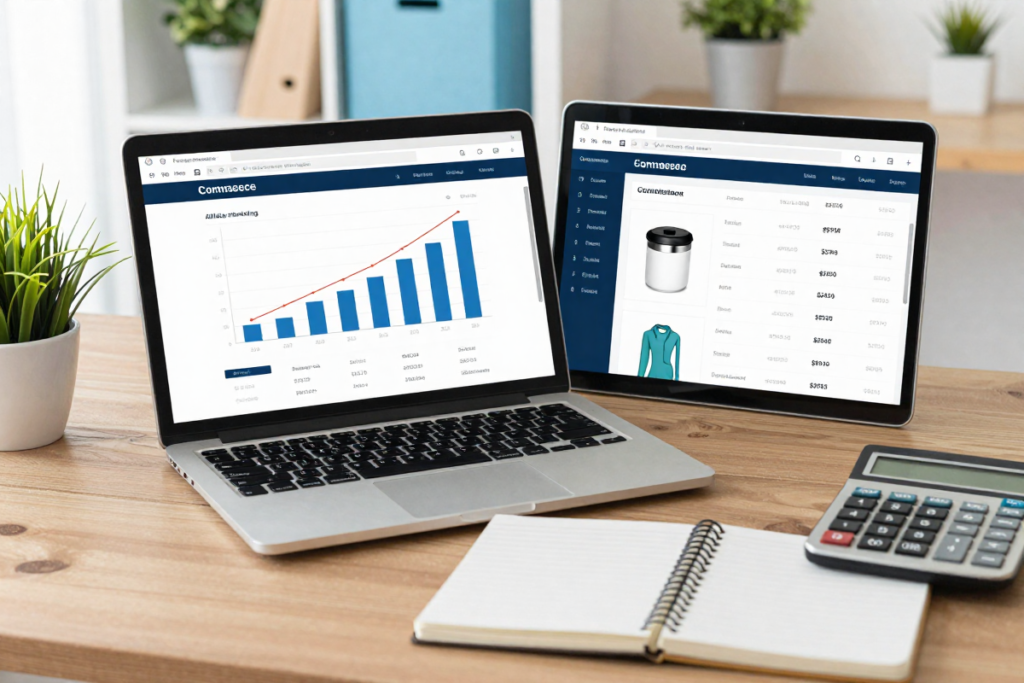
Finding a winning product is only valuable if you have a clear path to profit. Here are the most effective monetization strategies for content-based product researchers:
Affiliate Marketing
Amazon Associates offers one of the easiest entry points — product links are simple to generate, trust is high, and the product catalog covers virtually every niche.
👉 [START HERE: Amazon Associates signup]
Niche affiliate programs often pay significantly higher commissions than Amazon. Search “[your product category] + affiliate program” to find direct brand partnerships with 10–30%+ commission rates.
Content That Converts
The content formats that generate the highest affiliate revenue for product-based niches:
- Product reviews — In-depth, honest, and specific. These capture high-intent searchers at the bottom of the funnel.
- “Best of” listicles — “Best ergonomic footrests of 2026” captures broad comparison shoppers.
- Comparison posts — “Product A vs. Product B” targets buyers who are narrowing their decision.
Affiliate Link Placement Best Practices
- Place your first affiliate link above the fold — before the reader scrolls
- Embed links naturally within product description sections, not just at the end
- Use CTA buttons (“Check Price on Amazon” or “See Current Deal”) in addition to text links for higher click-through rates
Common Mistakes to Avoid
❌ Chasing viral trends too late
By the time a product is all over social media, the market is often already saturated. Use Google Trends to catch trends on the way up, not at the peak.
❌ Ignoring search intent
High search volume means nothing if the intent is informational, not commercial. Always verify buyer intent through keyword modifiers and CPC data.
❌ Overlooking competition depth
Low keyword difficulty doesn’t automatically mean easy wins. Check the actual domain authority and content quality of current page-one results before committing.
❌ Relying on one tool only
No single tool gives you the complete picture. Google Trends + a keyword platform + Amazon + Reddit = a research stack that’s genuinely hard to fool.
❌ Skipping demand validation
Just because something appears in a Rising query doesn’t guarantee sustainable demand. Always cross-reference across multiple data sources before investing time or money.
Pro Tips for Scaling Your Product Research
Once you’ve validated the system, the next step is making it efficient enough to run consistently.
- Build a repeatable weekly workflow: Dedicate 60–90 minutes every week to running new niche terms through Google Trends and your keyword tool. Consistency compounds over time.
- Use a tracking spreadsheet: Log every product idea with columns for search volume, KD, CPC, trend direction, competition level, and monetization potential. Patterns will emerge that sharpen your instincts.
- Set up Google Trends alerts: Monitor specific product categories or keywords automatically so you’re notified when interest starts climbing.
- Outsource as you scale: Once your research process is documented, a trained virtual assistant can handle initial data collection, freeing you to focus on content creation and monetization strategy.
Conclusion: Your Repeatable System for Finding Winning Products

The framework is straightforward, and it works:
Google Trends → Keyword Validation → Competition Analysis → Monetization
Every step filters out weak opportunities and sharpens your focus on products with real, data-backed profit potential. You’re no longer guessing — you’re making decisions the same way sophisticated marketers do, with actual consumer behavior data.
The difference between a product researcher who succeeds and one who wastes months on dead-end products usually isn’t talent or connections. It’s process. This is your process.
Start today. Pick one niche. Open Google Trends. Run one rising query through your keyword tool of choice. See what comes up. You may be surprised how quickly a single 90-minute research session can surface your next winning product.
👉 Ready to start? Try one of the keyword research tools below and put this system to work immediately:
- [Ahrefs — Free Trial]
- [SEMrush — Free Trial]
- [Ubersuggest — Free Plan]
- [Keywords Everywhere — Browser Extension]
Frequently Asked Questions
How accurate is Google Trends for predicting sales?
Google Trends measures search interest, not direct sales — but there is a strong historical correlation between rising “Interest Over Time” scores and increasing market demand. Think of it as a demand signal, not a sales forecast. Use it alongside keyword tools and Amazon data for the most complete picture.
What is the difference between “Top” and “Rising” queries in Google Trends?
“Top” queries are the most popular overall within your selected time range. “Rising” queries are terms that have experienced the most significant growth — these are the early-stage opportunities that smart researchers pay closest attention to. If a rising query is labeled “Breakout,” it has grown by more than 5,000%, which often signals an emerging trend worth acting on quickly.
Can beginners use these tools effectively?
Absolutely. Google Trends is 100% free and requires no technical background to start using productively. Tools like Keywords Everywhere and Ubersuggest offer affordable entry points with straightforward interfaces. Start simple: pick one niche, run a few searches, and learn by doing. The framework in this article is designed to be actionable from day one.
What is a good keyword difficulty score for a new site?
For sites with limited domain authority (under 30 on a 100-point scale), target keywords with a difficulty score below 30. As your site earns backlinks and authority over time, you can gradually compete for higher-difficulty terms. Starting in the low-competition lane is a feature, not a limitation.
What defines a “winning product” in 2026?
A true winning product solves a specific problem, maintains a healthy profit margin of 30% or more, shows a “Breakout” or consistently rising trend in Google Trends (particularly in specific sub-regions), and has a clear affiliate or sourcing path that fits your business model.
📌 Pro Tip: Bookmark this article and revisit it each time you begin a new product research cycle. The system works best when it becomes a habit.