
Inventory Management Tips for Growing Stores
October 22, 2026

If you’ve ever lost a sale because a product was out of stock, or found yourself sitting on hundreds of units of something nobody wants to buy, you already know the pain of poor inventory management. What most growing store owners don’t realize is that these aren’t just minor hiccups — they’re silent profit killers that compound over time.
As your store scales, the stakes get higher. What worked when you were managing 20 SKUs in a spare bedroom simply won’t cut it when you’re running a multi-channel operation with hundreds of products, multiple suppliers, and thousands of monthly orders.
This guide is written specifically for scaling store owners, side hustlers turning pro, and small-to-medium-sized eCommerce and retail businesses who are ready to stop guessing and start managing inventory with intention. By the end, you’ll have a clear set of inventory management tips for growing stores — from foundational strategies to the best tools on the market.
What Is Inventory Management? (And Why It Matters More as You Scale)
Inventory management is the process of ordering, storing, tracking, and controlling your product stock. It encompasses everything from knowing how many units you have on hand right now, to predicting how many you’ll need next month, to making sure nothing gets lost, damaged, or forgotten in a back corner of your warehouse.
At its core, effective inventory management balances two competing risks:
- Overstocking — Tying up cash in products that sit unsold, increasing your carrying costs and risking dead stock
- Understocking — Running out of your best sellers at the worst possible moment, losing sales and damaging customer trust
When you’re small, these problems are manageable. When you’re scaling, they become existential threats to your cash flow and customer retention.
Manual vs. Automated Inventory Systems
Manual inventory management — spreadsheets, handwritten counts, gut instinct — works until it doesn’t. The moment you add a second sales channel, a second supplier, or a second warehouse location, the cracks start to show. Automated inventory management systems sync your stock levels in real time, trigger reorder alerts, and give you the data you need to make smarter purchasing decisions.
The shift from manual to automated isn’t just a tech upgrade. It’s a business strategy.
Common Inventory Mistakes That Hurt Growing Stores
Before we get into solutions, let’s name the problems. These are the most common inventory management mistakes that hold growing stores back:
- Over-ordering based on guesswork instead of historical sales data or demand forecasting
- Not tracking inventory in real time, leading to overselling on one channel while stock sits untouched on another
- Ignoring seasonal trends — both the peaks you should prepare for and the slow periods where overstock becomes a burden
- Poor SKU organization that makes it nearly impossible to find products, run reports, or identify performance patterns
- No inventory forecasting strategy, leaving you perpetually reactive instead of proactive
- Lack of safety stock, meaning any supply chain disruption instantly leads to stockouts
Recognizing these mistakes in your own operation is the first step toward fixing them.
Essential Inventory Management Metrics You Must Track
You can’t manage what you don’t measure. Here are the inventory KPIs every growing store should monitor:
| Metric | What It Tells You |
|---|---|
| Inventory Turnover Ratio | How often you sell and replace stock in a given period |
| Sell-Through Rate | Percentage of inventory sold vs. received |
| Days Sales of Inventory (DSI) | How many days it takes to sell your current stock |
| Carrying Cost of Inventory | The total cost of holding unsold stock |
| Stockout Rate | How frequently you run out of products |
| Shrinkage | Inventory lost to theft, damage, or administrative errors |
Tracking these metrics regularly gives you the data foundation for every inventory decision you make. Most good inventory management software will calculate these automatically — which brings us to the tips.
10 Inventory Management Tips for Growing Stores

1. Use Inventory Management Software
If you’re still managing stock in a spreadsheet, you’re already behind. Inventory management software automates the time-consuming tasks that eat into your day and introduces a level of accuracy that manual tracking simply can’t match.
When evaluating tools, look for:
- ✅ Real-time inventory tracking across all locations
- ✅ Multi-channel syncing (Amazon, eBay, Etsy, your own store)
- ✅ Demand forecasting and low-stock alerts
- ✅ Purchase order management
- ✅ Reporting and analytics dashboards
Recommended Tools:
- 🔗 Shopify — Best for eCommerce stores already on the Shopify platform. Built-in inventory tools cover the basics, with apps available for advanced needs.
- 🔗 Zoho Inventory — Excellent for small-to-mid-size businesses needing multi-channel syncing and solid reporting at an affordable price.
- 🔗 Cin7 — A powerful solution for growing businesses that need omnichannel inventory control and advanced automation.
2. Implement Inventory Forecasting
Demand forecasting is one of the most powerful inventory control techniques available to growing stores. Instead of reacting to stockouts after they happen, forecasting helps you predict what you’ll need — and when — so you can order ahead of demand.
There are three core forecasting methods:
- Historical Sales Data — Analyze what sold, when, and in what quantities over the past 6–12 months
- Trend Analysis — Factor in market trends, new product launches, and competitor activity
- Seasonal Forecasting — Adjust inventory levels ahead of known peak periods (holidays, back-to-school, summer, etc.)
Modern inventory software can automate much of this forecasting. Tools like Zoho Inventory and Cin7 include built-in forecasting modules that analyze your sales history and project future demand.
Pro Tip: Don’t just forecast for your best sellers. Identify which products are seasonal, which are trending downward, and which carry your highest margins. Forecast differently for each category.
3. Set Par Levels (Minimum Stock Levels)
A par level is the minimum quantity of a product you should have on hand at any given time. When stock drops to or below this level, it triggers a reorder. Think of it as your inventory’s safety net.
How to calculate a par level:
Par Level = Average Daily Sales × Lead Time (in days) + Safety Stock
Example: If you sell 15 units of a product per day and your supplier takes 7 days to restock, your minimum viable stock is 105 units. Add safety stock on top of that to account for demand spikes or supplier delays.
Setting par levels eliminates the guesswork of “do I need to reorder yet?” and ensures your best sellers are always available for customers.
4. Use the FIFO Method (First In, First Out)
FIFO — First In, First Out — is a stock rotation method that ensures the oldest inventory gets sold before newer stock. This is especially critical for:
- Perishable products (food, cosmetics, supplements)
- Trend-sensitive items (fashion, seasonal decor)
- Products with expiration dates
Beyond reducing waste and dead stock, FIFO also improves inventory accuracy and helps you maintain product quality standards. In your warehouse or stockroom, this means physically organizing shelves so that older stock is always at the front and newest stock goes to the back.
5. Centralize Inventory Across All Sales Channels
One of the biggest multichannel inventory management challenges is keeping stock levels synchronized across platforms. Selling the same product on your Shopify store, Amazon, eBay, and Etsy simultaneously without a central system is a recipe for overselling — and nothing damages customer trust faster than confirming an order only to discover you’re out of stock.
A centralized inventory system acts as the single source of truth for all your channels. When a sale happens on any platform, stock levels update everywhere — instantly.
Best tools for multichannel inventory sync:
- 🔗 Cin7 — Purpose-built for omnichannel sellers
- 🔗 Zoho Inventory — Integrates with Amazon, eBay, Etsy, Shopify, and more
6. Conduct Regular Inventory Audits
Even the best inventory management system isn’t foolproof. Regular inventory audits catch discrepancies before they become costly problems.
Types of inventory audits:
- Full physical count — A complete count of all inventory, typically done annually or semi-annually
- Cycle counting — Counting a small subset of inventory on a rotating basis (daily or weekly), so that all inventory is counted multiple times per year without disrupting operations
Recommended frequency:
- Cycle counts: Weekly or bi-weekly for fast-moving SKUs
- Full counts: Annually or before major seasonal peaks
Most inventory management platforms include audit tools and checklists to streamline this process.
7. Optimize Your SKU System
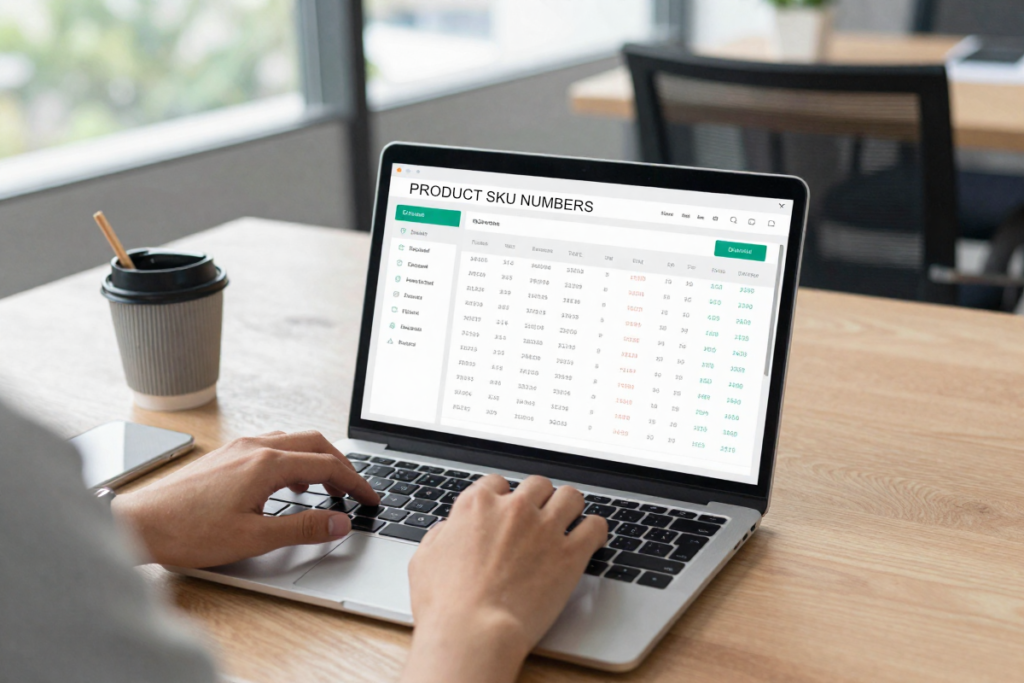
A well-structured SKU (Stock Keeping Unit) system is the backbone of organized inventory. A good SKU is:
- Unique — No two products share the same identifier
- Logical — Structured to convey key product information at a glance (e.g., category, color, size)
- Consistent — Follows a predictable format across all products
Example SKU structure: TSHRT-BLU-LG-001 (Product type – Color – Size – Variant number)
Strong SKU organization makes inventory reporting faster, reduces picking errors, and simplifies SKU rationalization — the process of identifying which products to keep, bundle, or discontinue.
8. Build Strong Supplier Relationships
Your inventory is only as reliable as your suppliers. Vendor managed inventory and strong supplier relationships are often the difference between a smooth restock and a two-week stockout that tanks your sales velocity.
Practical steps to strengthen supplier relationships:
- Negotiate better lead times by committing to consistent order volumes
- Establish a backup supplier for your top-selling products — supply chain disruptions happen
- Communicate early about upcoming promotions or seasonal demand spikes so suppliers can plan ahead
Reliable supplier relationships reduce stockout risk and give you more flexibility when unexpected demand surges occur.
9. Reduce Dead Stock and Slow-Moving Inventory
Dead stock — products that haven’t sold in 90+ days — is a direct drain on your working capital and warehouse space. Identifying and liquidating dead stock is one of the fastest ways to improve cash flow.
Strategies to reduce dead stock:
- 💡 Bundles — Pair slow movers with best sellers at a slight discount
- 💡 Flash sales — Create urgency around clearing out excess stock
- 💡 Markdowns — Gradually reduce pricing until the product moves
- 💡 Product repurposing — Can it be repackaged, rebranded, or donated for a tax benefit?
Prevention is better than cure: improve your demand forecasting (Tip #2) and inventory auditing (Tip #6) to minimize dead stock accumulation going forward.
10. Automate Reordering
Automated reorder alerts and purchase orders eliminate the manual monitoring that eats up hours of your week. By setting a defined reorder point for each product — the quantity at which a new purchase order is automatically triggered — you ensure you never drop below safe stock levels.
Recommended tools for reorder automation:
- 🔗 Forestock for Shopify — A free to start forecasting and reorder tool built for Shopify merchants
- 🔗 Cin7 — Includes automated purchase order generation and supplier communication
Economic Order Quantity (EOQ) is a formula worth knowing here — it helps you calculate the optimal order size that minimizes total carrying costs and ordering costs combined:
EOQ = √(2DS / H)
(D = annual demand, S = order cost per purchase, H = holding cost per unit per year)
Inventory Management Strategies by Business Model

Not all stores are the same. Here’s how these tips apply across different fulfillment models:
| Business Model | Key Inventory Challenge | Best Strategy |
|---|---|---|
| Dropshipping | Low control over supplier stock | Build relationships; use multi-supplier setups |
| Print-on-Demand | No inventory holding required | Focus on design variety and platform sync |
| Wholesale | Bulk buying and cash flow strain | Forecasting + par levels are critical |
| Handmade Products | Limited production capacity | Set realistic par levels; manage lead times carefully |
Best Tools for Inventory Management
| Tool | Best For | Starting Price | Key Feature |
|---|---|---|---|
| 🔗 [Shopify] | Shopify store owners | Included with Shopify plans | Native eCommerce integration |
| 🔗 [Zoho Inventory] | SMBs on a budget | Free plan available | Multi-channel syncing |
| 🔗 [Cin7] | Scaling omnichannel sellers | Contact for pricing | Advanced automation |
| 🔗 [inFlow Inventory] | Product-based businesses | From ~$110/month | Barcode scanning + reporting |
🚀 Ready to streamline your inventory? Start with Shopify or Zoho Inventory — both offer beginner-friendly interfaces with room to grow.
How to Choose the Right Inventory Management System
Choosing the right system comes down to four key factors:
- Business size — How many SKUs, orders, and locations are you managing?
- Sales channels — Do you need multi-channel syncing or single-channel simplicity?
- Budget — Are you looking for a free starter tool or a full enterprise solution?
- Automation needs — Do you want automated reordering, forecasting, and reporting?
Quick decision checklist:
- I sell on more than one platform → Choose a tool with multi-channel sync
- I have more than 100 SKUs → Spreadsheets are no longer sufficient
- I frequently run out of stock → Prioritize forecasting and automated reorders
- I’m on Shopify → Start with native tools and expand as needed
Scaling Your Inventory System as You Grow
There’s a clear progression in how growing stores should approach inventory management:
- Stage 1 (Just starting): Spreadsheets + manual counting — acceptable for very small operations
- Stage 2 (Growing): Entry-level software like Zoho Inventory or Shopify’s native tools
- Stage 3 (Scaling): Full-featured platforms like Cin7 with automation, forecasting, and multi-location support
- Stage 4 (Enterprise): Consider dedicated inventory staff or outsourcing to a 3PL (third-party logistics provider)
The key signal that it’s time to upgrade: when inventory errors, stockouts, or the time spent managing stock starts costing you more than a software subscription would.
Final Thoughts

Effective inventory management isn’t glamorous — but it’s one of the most powerful levers you can pull to protect your margins, improve customer experience, and build a business that can actually scale.
The stores that grow without chaos are the ones that treat inventory as a strategic function, not an afterthought. They forecast demand, set par levels, audit regularly, build supplier relationships, and lean on the right tools to automate the rest.
Start with one or two of the tips in this guide. Implement them consistently. Then layer in the next. Over time, you’ll build a system that runs more smoothly — and a business that’s ready for whatever comes next.
Frequently Asked Questions

What is the best inventory management method for small businesses?
The best method depends on your business model, but most small businesses benefit from a combination of FIFO stock rotation, par level setting, and cycle counting. Pairing these practices with an affordable software tool like Zoho Inventory or Shopify gives you accuracy without the overhead of enterprise systems.
How do small businesses manage inventory effectively?
Start by tracking real-time stock levels, setting minimum reorder points, and categorizing products by turnover rate (ABC analysis). Use software to automate alerts and sync across channels as soon as your operation grows beyond a handful of SKUs.
What tools are best for inventory tracking?
Top options include Shopify for eCommerce merchants, Zoho Inventory for budget-conscious SMBs, Cin7 for omnichannel sellers, and inFlow Inventory for product-heavy businesses needing barcode scanning.
How often should inventory be checked?
At minimum, conduct full inventory counts annually and before major sales seasons. For growing stores, weekly or bi-weekly cycle counts of fast-moving SKUs help maintain accuracy without halting operations.
What is the easiest way to manage inventory for a growing store?
The easiest approach is to start with cloud-based inventory management software that integrates directly with your sales channels. This eliminates manual data entry, reduces errors, and gives you a real-time view of your stock across every platform you sell on.
When should I switch from spreadsheets to inventory management software?
If you’re managing more than 50 SKUs, selling on more than one platform, or experiencing frequent stockouts or overstock situations, it’s time to make the switch. The cost of errors almost always exceeds the cost of a software subscription.
Take Action Today
Your inventory doesn’t have to be a source of stress. The right systems — paired with the right tools — make stock management predictable, scalable, and even competitive.
🛒 Start optimizing your inventory today with Shopify or Zoho Inventory. Both platforms offer free trials so you can see the difference before committing.
📦 Need more advanced multi-channel control? Check out Cin7 — built for growing stores that are serious about scaling without the inventory chaos.
Disclaimer: This article contains affiliate links. If you purchase an item through the link I will earn a small commission at no extra cost to you.